Stripe POS
A ready-made POS for Stripe
Your Stripe products, tips, taxes and card readers on an iPad, Android tablet or phone. No developer, no monthly fee.
Tablet POS
A real register on your tablet
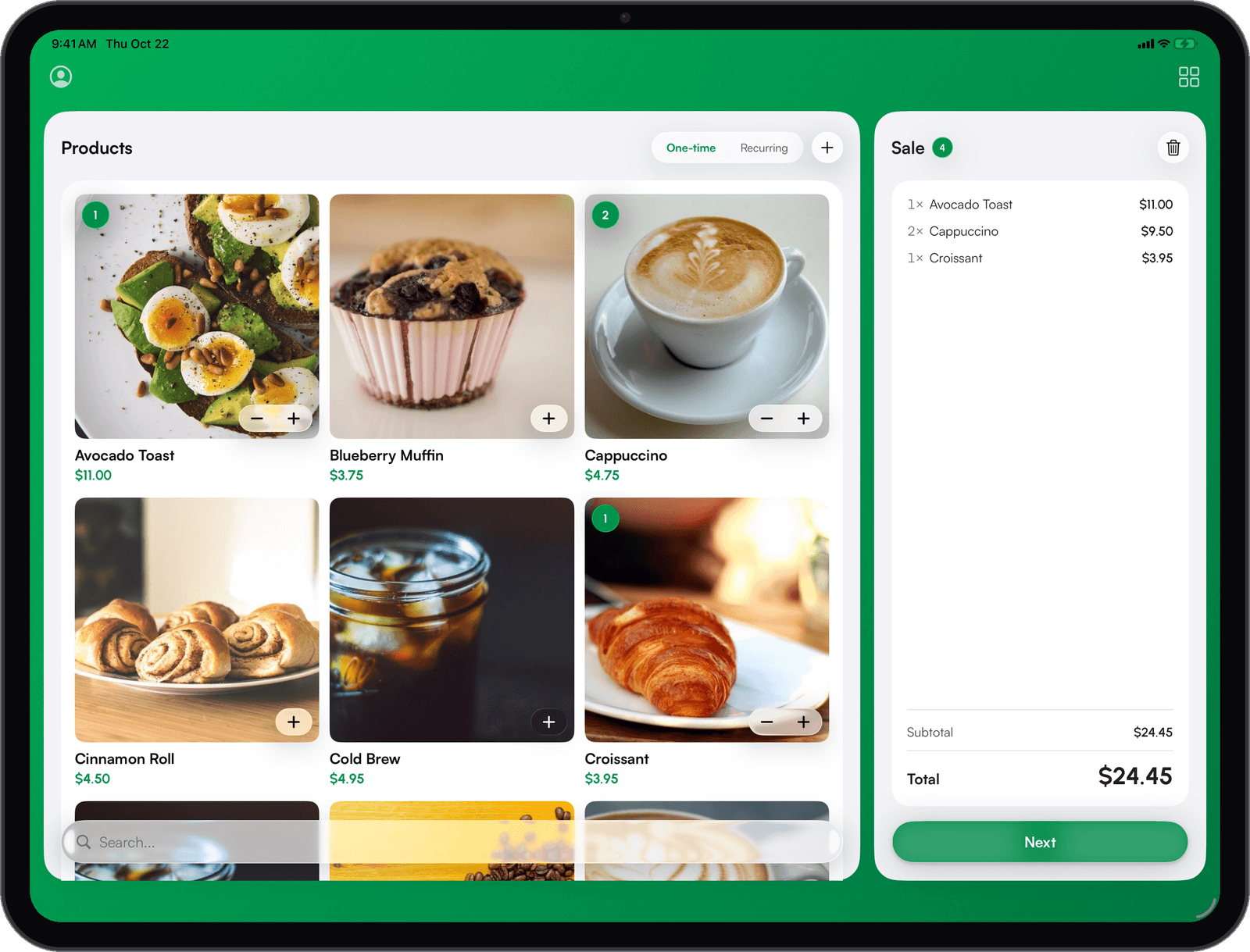
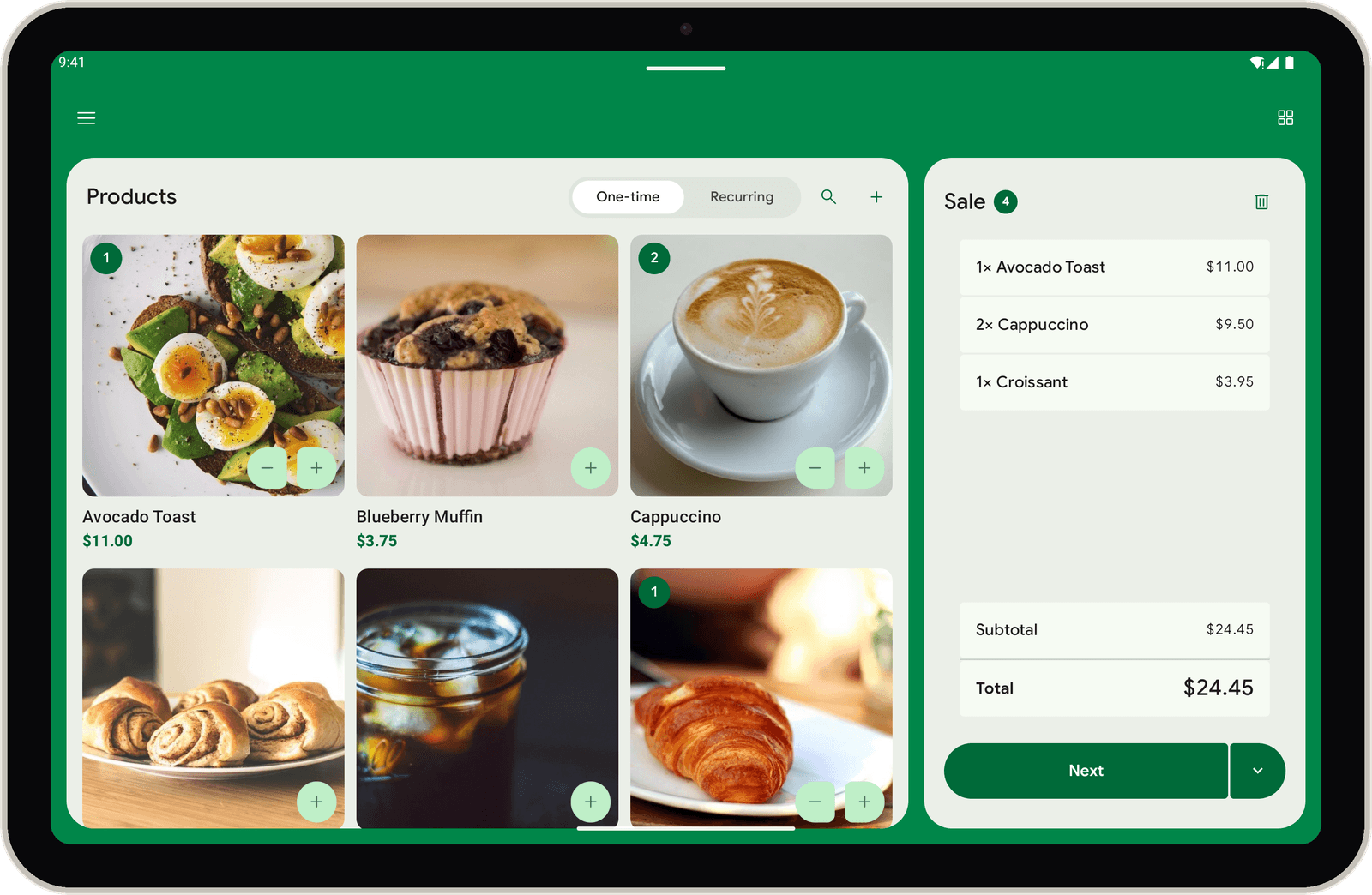
Turn an iPad or Android tablet sideways. Your catalog sits on the left, the cart on the right, and both stay on screen through checkout.
Catalog beside the cart
Tap products into the cart. Quantities, subtotal and total update as you go.
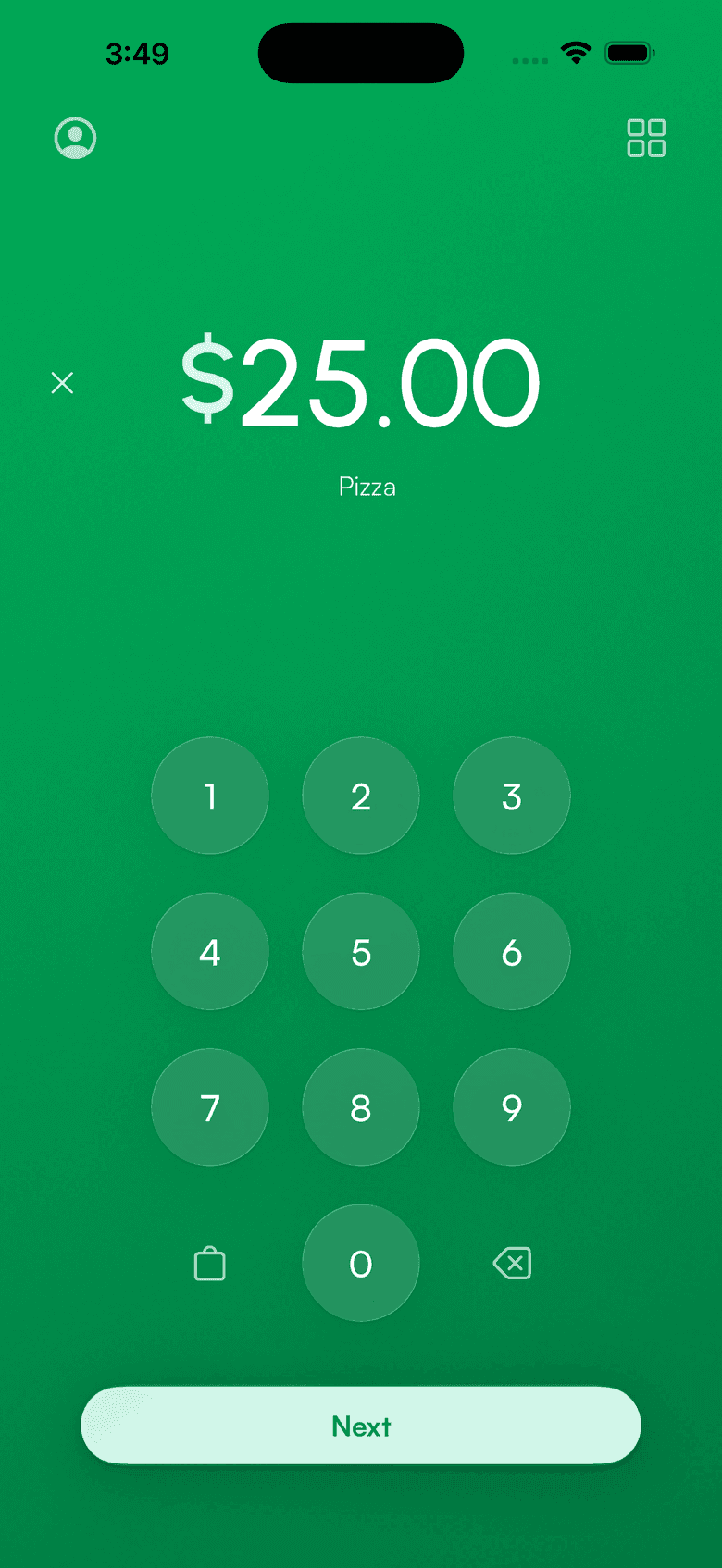
Keypad when you need it
Switch to the keypad for a quick amount. The app opens to the side you use most.
The cart stays put
Tap Next and payment slides in on the left. You and your customer see the total the whole time.
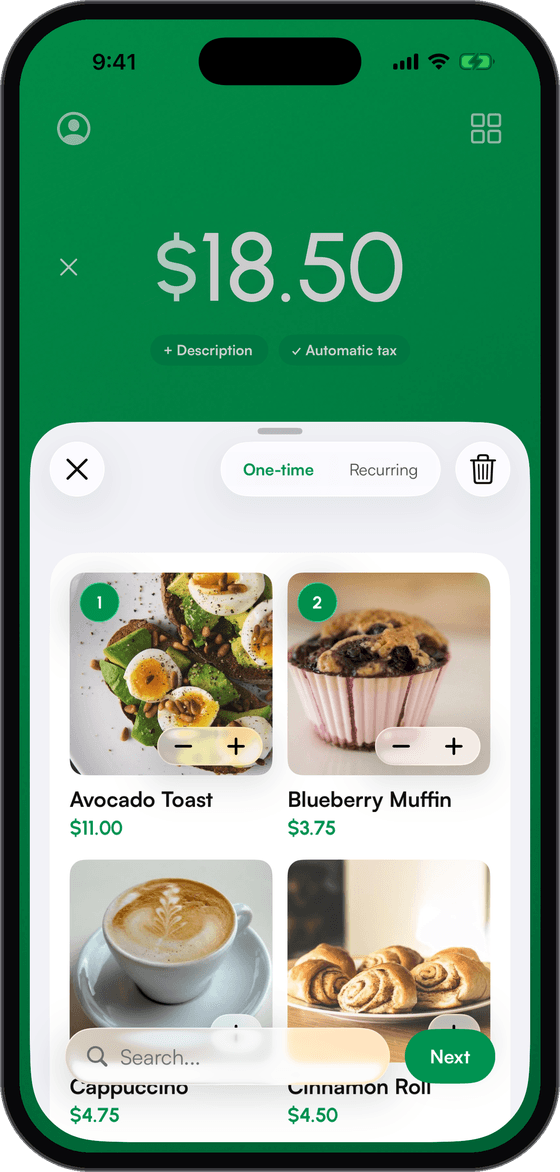
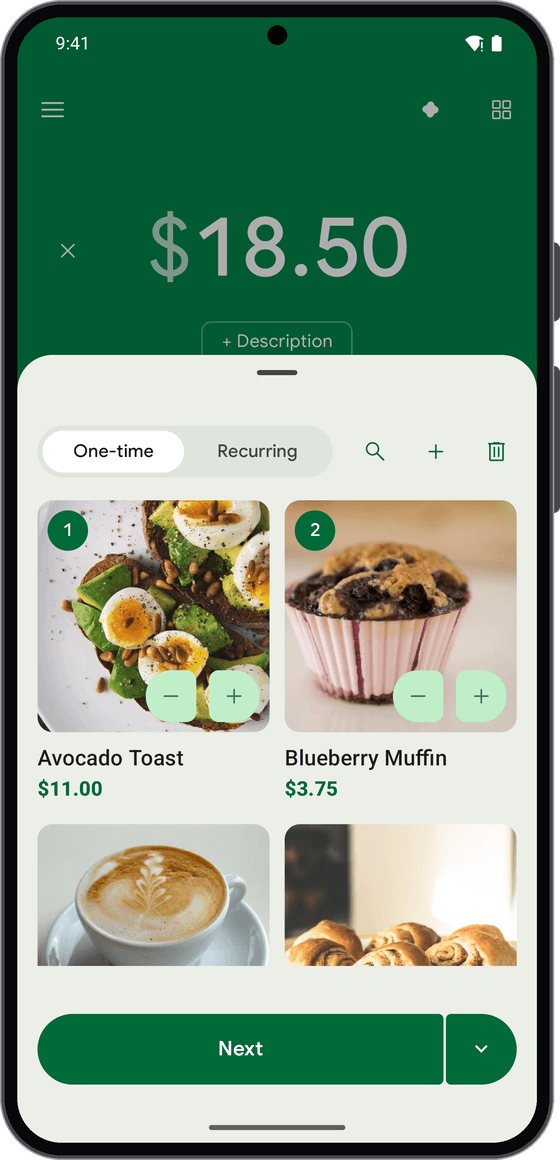
List or grid. Your call.
Show your Stripe products as photo tiles on any phone or tablet. Two across on phones, three on tablets. Photos come from your Stripe product images. Turn it on in Settings.
Three ways to get a Stripe POS
Stripe's Dashboard app takes a payment. The Terminal SDK lets a developer build a checkout. Payment for Stripe is the checkout, ready today.
Stripe Dashboard app per Stripe's docs: enter an amount, then Tap to Pay or key in a card. Charge-only staff logins are on the Enterprise plan, $79/month + 1% per sale.
Everything a counter needs, on any screen
Built for selling, not for checking balances.
Product catalog
Your Stripe products sync to the app. Tap items into a cart instead of typing amounts.
Tips
Preset tip buttons at checkout, or a custom amount. Tips land on the charge in Stripe.
Taxes and discounts
Apply tax rates and discounts before the customer pays. The rate is recorded on every charge.
Receipts and refunds
Email or text a receipt after the sale. Refund from the app, on the spot.
Staff accounts
Employees take payments without your Stripe login. No access to payouts or balances. Enterprise plan.
Offline payments
Keep selling when the connection drops. Payments queue on a supported reader and sync when you reconnect.
Runs on the hardware you pick
Runs on your iPhone, iPad or Android device, or right on a Stripe smart reader. Order readers from your Stripe Dashboard at Stripe's price, or skip hardware and use Tap to Pay.
No monthly fee. No developer.
1.2% per sale, 15¢ minimum, on top of Stripe's 2.7% + 5¢ in-person rate. Staff accounts are on the Enterprise plan: $79/month + 1% per sale.
Stripe POS questions
Is there a free POS for Stripe?
Do I need a developer to use Stripe as a POS?
Can employees take payments without my Stripe login?
Which card readers work with this Stripe POS?
Where does the money go?
Is this POS made by Stripe?
Does this Stripe POS work on iPad?
Can I use an Android tablet as a Stripe POS?
From the blog: The Payment app now uses the whole iPad, Turn an Android tablet into a Stripe register, How employees can take payments without your Stripe login, Collecting tips with Stripe, How to run Stripe Terminal without writing code, Sell your Stripe products at the counter, Hide products from the app with a Stripe metadata key
Accept payments
in 60 seconds
Download the app, connect your Stripe account, and you're ready to accept your first payment. No hardware, no setup fees, no monthly costs.