打造您的专属支付体验
在 Stripe 控制面板中配置您的徽标、颜色和企业信息。您的品牌标识将自动应用于通过 Payment for Stripe 发送的所有收据、发票和付款页面。
最后更新时间 2026年10月
快速回答
在 Stripe 的品牌设置中添加您的徽标、品牌颜色和自定义收据信息。这样,您在 Payment for Stripe 中的结账页面和收据就会与品牌保持一致。
官方文档: Stripe 品牌设置
来自博客: 让 Payment 应用匹配您的品牌
已连接
Stripe 账户
$950M+
自 2015 年以来累计处理240K+
全球企业4.8
App Store 评分135+
支持的货币如何 开始
按照以下 4 个简单步骤即可快速上手。
1
打开您的 Stripe 控制面板
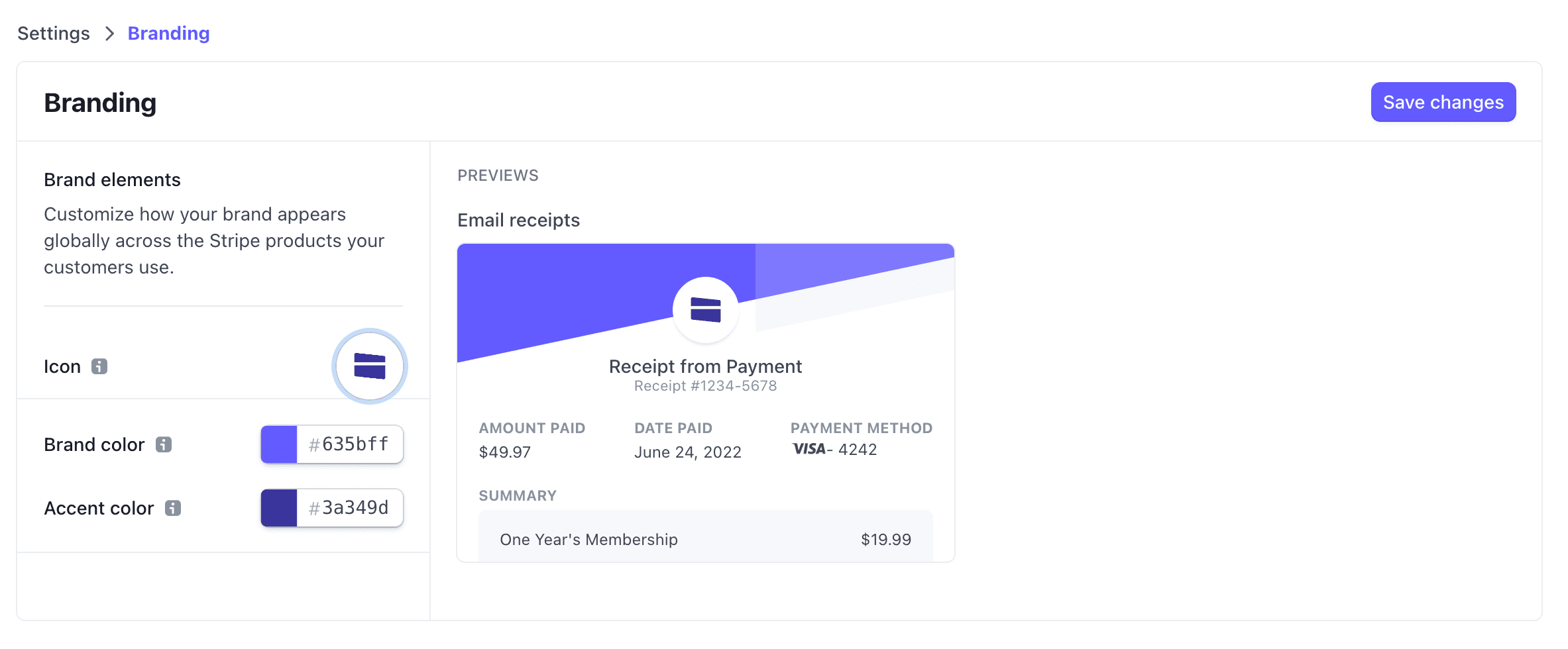
登录您的 Stripe 控制面板,然后导航至“设置”>“品牌”。您可以在这里配置收据、发票和付款页面上显示的所有视觉元素。
2
上传您的企业徽标
点击“上传徽标”,然后选择一张正方形图片。为获得最佳效果,请使用至少 512x512 像素的高分辨率 PNG 或 JPG 图片。您的徽标将显示在通过 Payment for Stripe 发送的所有收据和发票上。
3
设置您的品牌颜色
选择与您的品牌相符的主色和强调色。这些颜色将显示在 Stripe 托管的支付页面、收据和发票上。输入十六进制代码可实现精确的颜色匹配。
4
添加企业详情
输入您的企业名称、客服电子邮件地址和地址。这些信息会显示在收据上,帮助客户识别您的企业。更改会自动同步到 Payment for Stripe。
Customize your brand colors in your Stripe Dashboard
常见 问题
如何在 Stripe 发票中添加徽标?
在 Stripe 控制面板的“设置”>“品牌”中上传您的徽标。它将显示在应用程序创建的每张发票、收据和结账页面上,包括网页和电子邮件中。
徽标有哪些要求?
徽标应为至少 512x512 像素的正方形图片。最好使用透明背景的 PNG 格式,也支持 JPG。徽标会显示在收据、发票和付款链接上。
我可以为不同产品使用不同的品牌设置吗?
Stripe 中的品牌设置适用于所有交易。如果不同业务线需要不同的品牌,建议为每条业务线分别开设 Stripe 账户。
品牌更改多久生效?
在 Stripe 控制面板中所做的品牌更改会立即应用于新的收据和发票。Payment for Stripe 会自动使用您最新的品牌设置。