Skip to content

支払い体験をブランド化

Stripeダッシュボードでロゴ、カラー、ビジネス情報を設定できます。ブランディングは、Stripe Paymentsを通じて送信されるすべての領収書、請求書、支払いページに自動的に適用されます。

接続

ストライプアカウント

$900M+
2015年以降に処理
220K+
世界中の企業
4.8
App Storeの評価
135+
サポートされている通貨

方法 始める

起動するには、次の 4 簡単な手順に従ってください。

1

Open your Stripe Dashboard

Log into your Stripe Dashboard and navigate to Settings > Branding. This is where you'll configure all visual elements that appear on receipts, invoices, and payment pages.

2

Upload your business logo

Click "Upload Logo" and select a square image. For best results, use a high-resolution PNG or JPG at least 512x512 pixels. Your logo appears on all receipts and invoices sent through Payment for Stripe.

3

Set your brand colors

Choose primary and accent colors that match your brand. These colors appear on Stripe-hosted payment pages, receipts, and invoices. Enter hex codes for precise color matching.

4

Add business details

Enter your business name, support email, and address. These details appear on receipts and help customers identify your business. Changes sync automatically to Payment for Stripe.

Customize your brand colors in your Stripe Dashboard
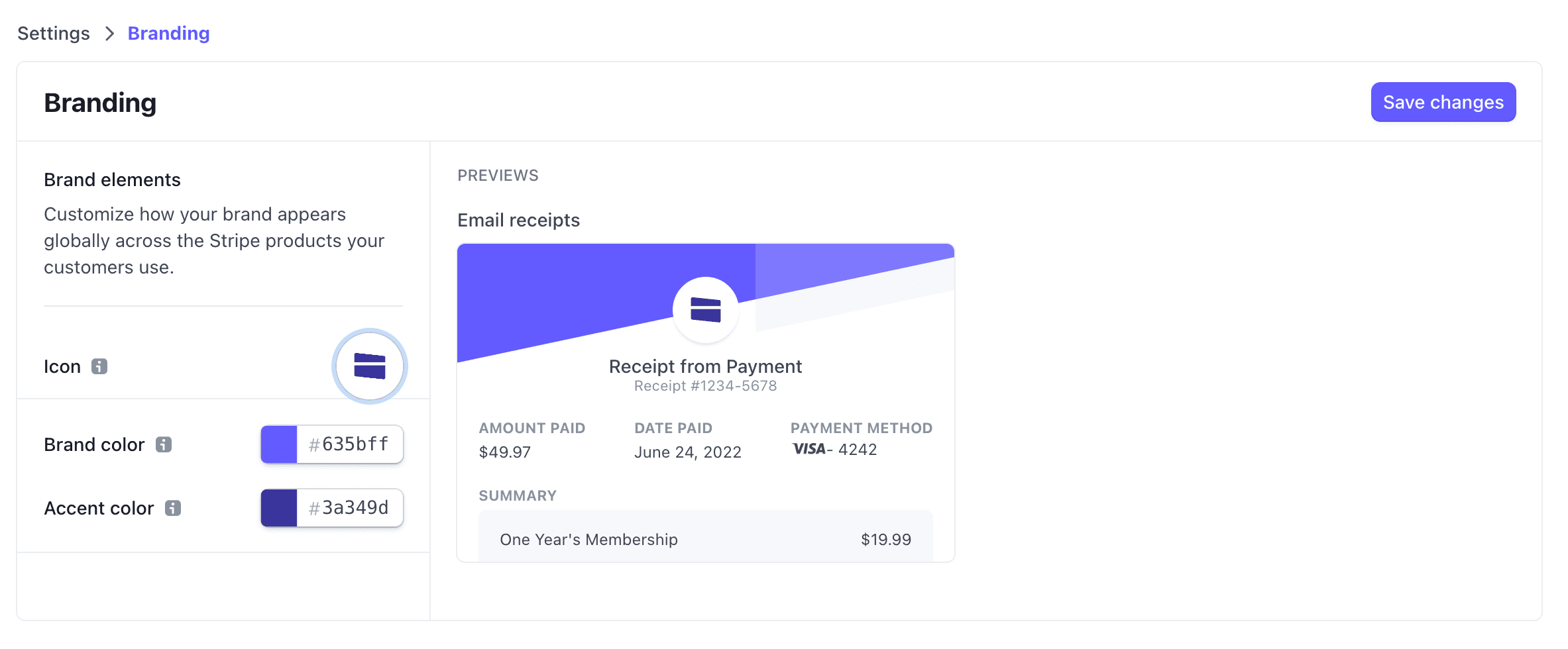
Stripe Dashboard branding settings showing icon, brand color, and accent color customization with a receipt preview

一般 質問

What are the logo requirements?
Your logo should be a square image at least 512x512 pixels. PNG format with a transparent background works best, but JPG is also supported. The logo appears on receipts, invoices, and payment links.
Can I use different branding for different products?
Branding settings in Stripe apply to all transactions. If you need different branding for different business lines, consider setting up separate Stripe accounts for each.
How quickly do branding changes appear?
Branding changes made in Stripe Dashboard apply immediately to new receipts and invoices. Payment for Stripe automatically uses your latest branding settings.
Where does my branding appear?
Your logo and colors appear on email receipts, PDF invoices, payment links, and the Stripe-hosted checkout page. This creates a consistent brand experience across all customer touchpoints.

始める準備はできましたか?

無料アプリをダウンロードして、数分で支払いの受付を開始できます。