Ödeme deneyiminizi markalaştırın
Logonuzu, renklerinizi ve işletme bilgilerinizi Stripe Kontrol Paneli'nde yapılandırın. Markanız, Payment for Stripe aracılığıyla gönderilen tüm makbuzlara, faturalara ve ödeme sayfalarına otomatik olarak uygulanır.
Son güncelleme Ekim 2026
Hızlı cevap
Stripe marka ayarlarında logonuzu, marka renginizi ve özel bir makbuz mesajı ekleyin. Böylece Payment for Stripe ödeme ekranınız ve makbuzlarınız markanızla uyumlu olur.
Resmi dokümanlar: Stripe marka ayarları
Bağlı
Stripe Hesabı
Nasıl başlanır
Çalışır duruma gelmek için şu 4 basit adımı izleyin.
Stripe Kontrol Panelinizi açın
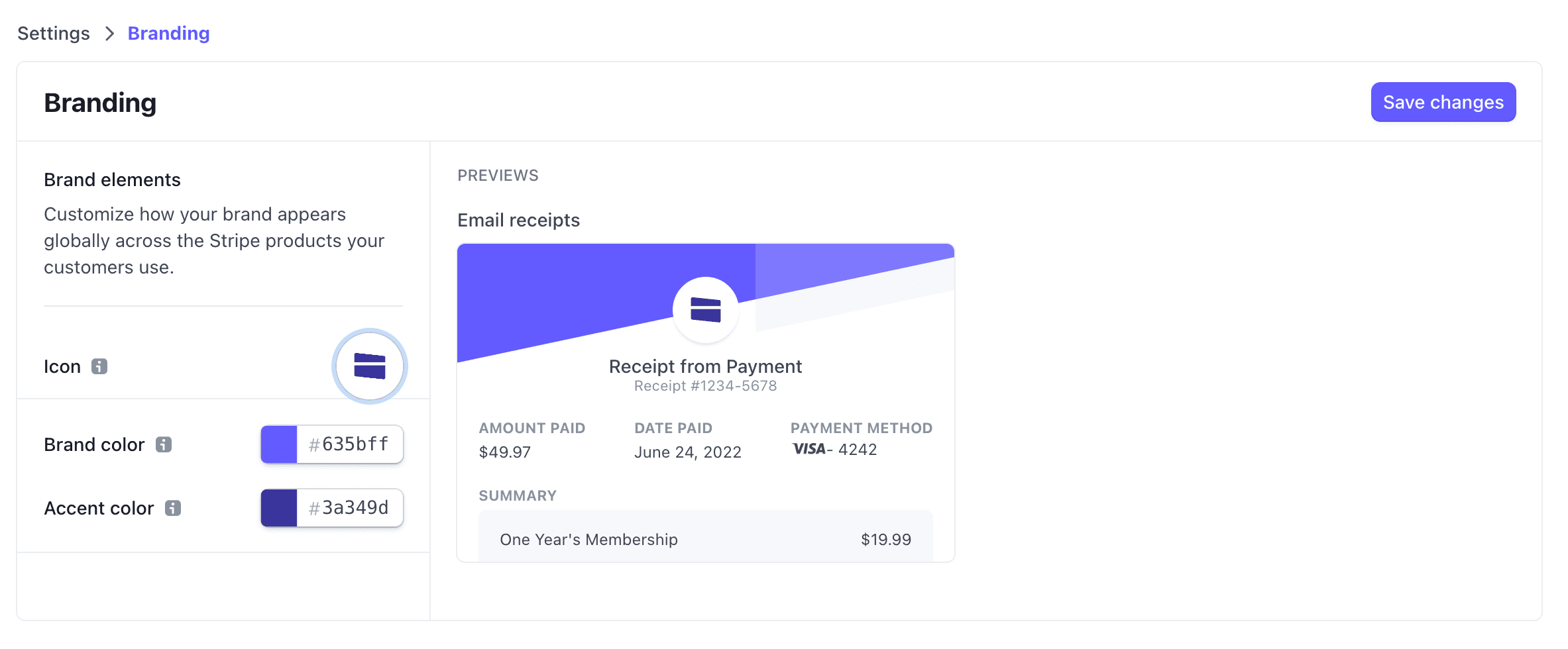
Stripe Kontrol Panelinize giriş yapın ve Ayarlar > Markalama bölümüne gidin. Makbuzlarda, faturalarda ve ödeme sayfalarında görünen tüm görsel öğeleri burada yapılandırabilirsiniz.
İşletmenizin logosunu yükleyin
"Logo Yükle"ye tıklayın ve kare bir resim seçin. En iyi sonuçlar için, en az 512x512 piksel boyutunda yüksek çözünürlüklü bir PNG veya JPG kullanın. Logonuz, Payment for Stripe aracılığıyla gönderilen tüm makbuzlarda ve faturalarda görünecektir.
Marka renklerinizi belirleyin
Markanızla uyumlu ana ve vurgu renkleri seçin. Bu renkler Stripe tarafından barındırılan ödeme sayfalarında, makbuzlarda ve faturalarda görünür. Hassas renk eşleştirmesi için onaltılık kodları girin.
İşletme bilgilerini ekleyin
İşletme adınızı, destek e-postanızı ve adresinizi girin. Bu bilgiler makbuzlarda görünür ve müşterilerin işletmenizi tanımasına yardımcı olur. Değişiklikler Payment for Stripe'a otomatik olarak senkronize edilir.
Customize your brand colors in your Stripe Dashboard
Sık sorulan sorular
Stripe faturalarına nasıl logo eklerim?
Logo gereksinimleri nelerdir?
Farklı ürünler için farklı markalama kullanabilir miyim?
Markalama değişiklikleri ne kadar hızlı görünür?
İlgili rehberler
Başlamaya hazır mısınız?
Ücretsiz uygulamayı indirin ve dakikalar içinde ödeme almaya başlayın.