Nadaj płatnościom wygląd swojej marki
Skonfiguruj swoje logo, kolory i dane firmy w Panelu Stripe. Twoja marka zostanie automatycznie dodana do wszystkich paragonów, faktur i stron płatności wysyłanych za pośrednictwem aplikacji Payment for Stripe.
Ostatnia aktualizacja październik 2026
Szybka odpowiedź
Dodaj swoje logo, kolor marki i spersonalizowany komunikat na paragonie w ustawieniach marki Stripe. Kasa i paragony Payment for Stripe będą wtedy zgodne z Twoją marką.
Oficjalna dokumentacja: Ustawienia marki Stripe
Połączono
Konto Stripe
Jak zacząć
Zacznij w 4 prostych krokach.
Otwórz Panel Stripe
Zaloguj się do Panelu Stripe i przejdź do Ustawienia > Branding. Tutaj skonfigurujesz wszystkie elementy wizualne, które będą wyświetlane na paragonach, fakturach i stronach płatności.
Prześlij logo swojej firmy
Kliknij „Prześlij logo” i wybierz kwadratowy obraz. Aby uzyskać najlepsze rezultaty, użyj pliku PNG lub JPG o wysokiej rozdzielczości, co najmniej 512 x 512 pikseli. Twoje logo będzie widoczne na wszystkich paragonach i fakturach wysyłanych za pośrednictwem Payment for Stripe.
Ustaw kolory swojej marki
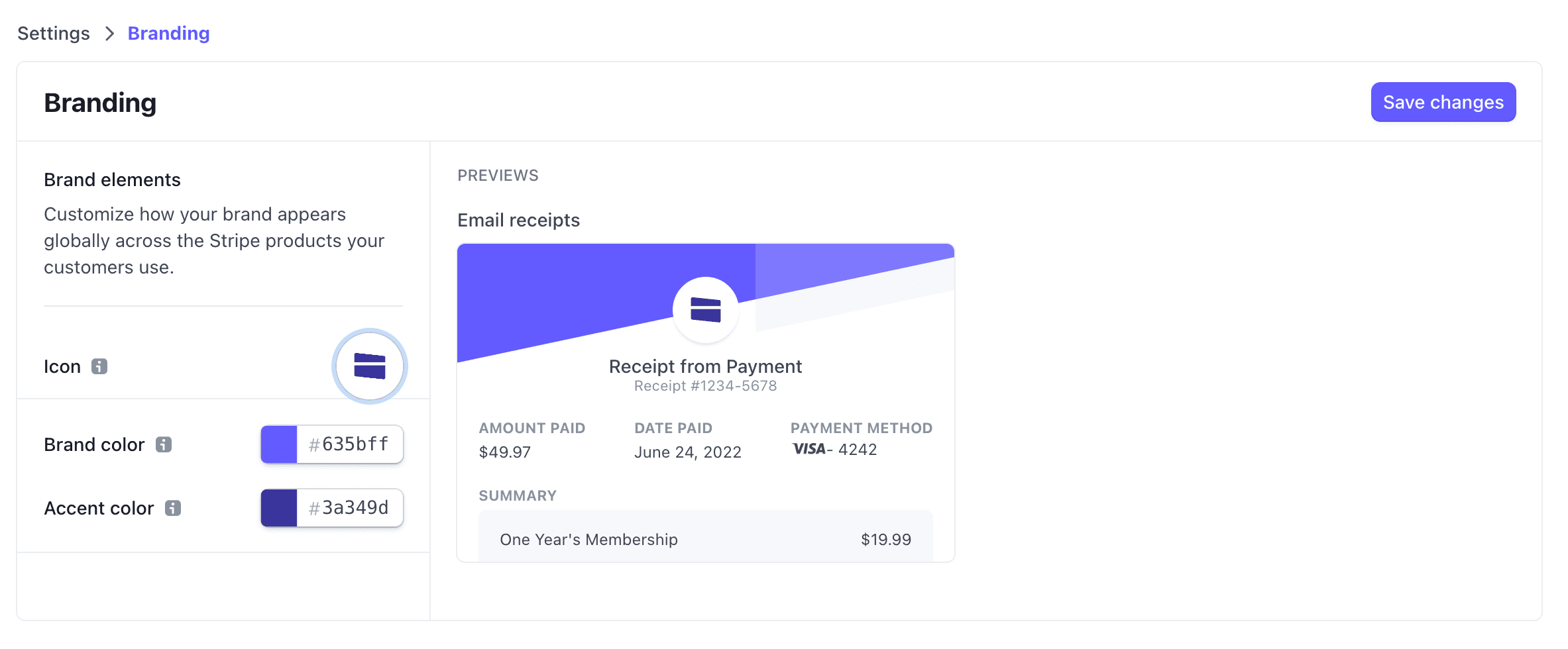
Wybierz kolory podstawowe i akcentowe, które pasują do Twojej marki. Kolory te pojawiają się na stronach płatności, paragonach i fakturach hostowanych przez Stripe. Wprowadź kody szesnastkowe, aby uzyskać precyzyjne dopasowanie kolorów.
Dodaj dane firmy
Wprowadź nazwę firmy, adres e-mail pomocy technicznej i adres. Dane te pojawią się na paragonach i pomogą klientom zidentyfikować Twoją firmę. Zmiany zostaną automatycznie zsynchronizowane z Payment for Stripe.
Customize your brand colors in your Stripe Dashboard
Częste pytania
Jak dodać logo do faktur Stripe?
Jakie są wymagania dotyczące logo?
Czy mogę używać różnego brandingu dla różnych produktów?
Jak szybko pojawiają się zmiany w brandingu?
Powiązane przewodniki
Chcesz zacząć?
Pobierz bezpłatną aplikację i zacznij przyjmować płatności w ciągu kilku minut.